
TDUK APP Killer
TechDoctorUKTools
4.031.00 Reviews
- Version
- 1.0.4
- Installs
- 10.00K
- Age Rating
- Everyone
Screenshots
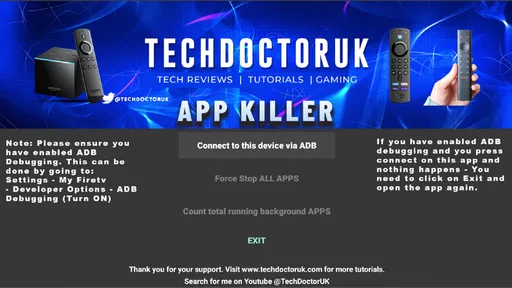
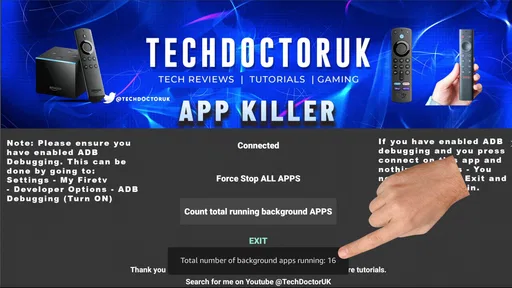
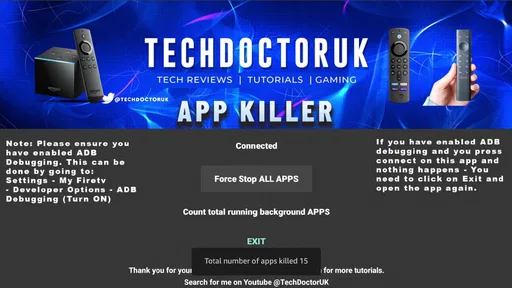
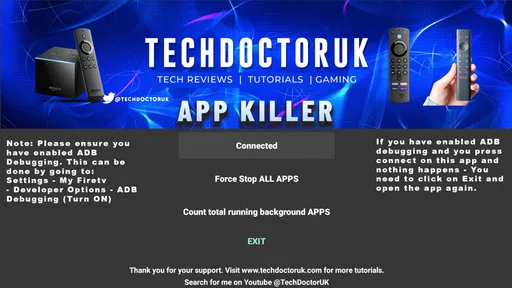
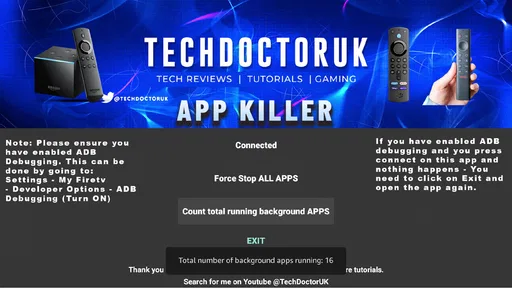
Our Review of TDUK APP Killer
 Analysis by Appyee
On a shared Android TV, the little pauses between shows can become a household routine: someone finishes watching, another person wants to open a different app, and the TV seems to be carrying yesterday’s session along with it. TDUK APP Killer is a paid utility from TechDoctorUK built around a simple intervention: closing background apps from Android TV without working through them one by one. I find that narrow focus useful, especially when more than one person uses the same screen.
The key is to treat it as a manual tidy-up tool, not a magic speed switch. Closing apps can help when an app is stuck or you want to clear the TV’s recent activity before handing over the remote, but it does not make every device faster or guarantee lower power use. Android may also manage background processes on its own, so there is little reason to tap a cleanup button out of habit when everything is already working normally.
A practical pause between household turns
Picture a familiar evening: one person has finished streaming, a child wants to open a different service, and the next app takes a while to respond. Instead of asking everyone to remember which screens they left open, the person holding the remote can use a single action to close background apps, then let the next viewer start fresh. That can make handovers feel less fussy, particularly on a TV where navigating menus with a remote is slower than tapping a phone screen.
There is a useful trade-off here. A background app may be holding a place in a show, keeping a session ready, or doing something the next viewer expects to continue. Closing it can mean reopening the app and possibly signing in or selecting a profile again. I would use the tool when a session is finished, an app is misbehaving, or the TV feels cluttered—not automatically after every change of viewer.
Keep the remote routine simple
Because this is a focused Android TV tool rather than a full device-management suite, its best place in a household is as an occasional remote-control shortcut. Agreeing on when to use it is more helpful than assuming it should run after every program. For example, a family could make it part of the end-of-night routine, while leaving apps alone during a shared movie break when someone plans to resume watching.
It is also worth keeping account boundaries separate from app cleanup. Closing an app is not the same as signing out, changing profiles, clearing viewing history, or protecting one person’s account from another. If several people share the TV, I would still switch profiles inside the relevant streaming apps and avoid treating a cleanup action as a privacy setting. The app’s purpose is process management, not household account administration.
What the one-tap approach does—and does not—solve
Compared with opening the system’s recent-apps view and closing items individually, a one-action cleanup is appealing when you do not want to hunt through a stack of screens with a directional pad. Compared with doing nothing, it gives you a deliberate way to reset background activity when an app is stuck or the TV is behaving oddly. But it is not a substitute for restarting a device that needs a full reboot, nor is it a fix for a weak network, an outdated app, or a service outage.
That distinction helps set expectations. If a video buffers because the connection is unstable, closing other apps may not change the cause. If a particular app repeatedly freezes, closing it can be a sensible first step, but you may still need to reopen it or troubleshoot that app separately. I would avoid repeatedly running a cleaner just because a device reports background activity: keeping an app ready can be normal, and reopening it immediately may cancel out the convenience of having closed it.
Who is likely to appreciate it
I can see the appeal for Android TV owners who regularly switch between apps, share a television, or want a quick manual response when an app stops behaving. It is less compelling for someone whose TV already feels responsive and whose viewing mostly stays inside one app. It is also not the right answer for a person looking for parental controls, separate household accounts, or automatic management rules; those needs call for the relevant TV or app settings instead.
The app is listed for Everyone, which makes its age classification broad, but that should not be read as a promise of child-specific safeguards. In a home with younger viewers, I would keep profile restrictions and purchase protections in the services or device settings that provide them. A simple cleanup utility can be easy for a household member to operate, but ease of use does not turn it into a control system.
Getting Started with TDUK APP Killer
First off, downloading and installing TDUK APP Killer is a breeze. You can easily find it on the Google Play Store, and it only takes a couple of minutes to set up. Once installed, you’re greeted with a sleek and straightforward interface. No need to be a tech wizard; everything is pretty intuitive, and the app guides you through its features with ease.
Features That Stand Out
What I love most about this app is its ability to make my phone feel brand new. Seriously, the app management capabilities are top-notch. Here's a quick rundown of some of the standout features:
- Smart App Detection: The app automatically identifies and lists those sneaky apps that are eating up your battery and resources.
- One-Tap Boost: With just a tap, you can close all background apps, freeing up RAM and improving your phone’s performance instantly.
- Customizable Settings: You can set up a whitelist of apps you want to exclude from being closed, which is super handy for apps you use frequently.
These features are designed to optimize your device seamlessly, and they do a fantastic job. I noticed my battery life improved significantly, and my phone ran smoother without those pesky lags.
User Experience and Interface
The app's interface deserves a special mention. It's clean, clutter-free, and quite user-friendly. The developers did a great job of ensuring that everything is accessible without overwhelming the user. The navigation is straightforward, with clear icons and labels that let you know exactly what each function does.
I particularly appreciate the dark mode option, which not only looks cool but also saves battery life. Plus, the app is lightweight, so it doesn’t take up much space on your phone.
Performance and Efficiency
Let’s talk about performance. After using TDUK APP Killer for a week, I noticed a considerable difference in my phone’s efficiency. Apps load faster, and I haven’t experienced any crashes or slowdowns. It feels like my phone got a much-needed boost, and who doesn’t love that?
The app’s battery optimization feature is a real lifesaver. I found myself charging my phone less frequently, which is a big win, especially if you’re always on the go. It’s like having a mini technician in your pocket, ensuring everything runs smoothly.
Final Thoughts
Overall, TDUK APP Killer impressed me with its simplicity and effectiveness. Whether you're looking to extend your phone’s battery life, speed up performance, or simply keep those resource-hogging apps in check, this app has got you covered. It's definitely worth a try if you're tired of constantly battling with your phone’s limitations.
If you’re ready to take control of your phone’s performance and enjoy a smoother experience, give TDUK APP Killer a shot. You might just be surprised at how much of a difference it makes. Happy optimizing!
How I would fit it into a household setup
The app is in the Tools category, costs $1.99, and has an average rating of 4.0 from 101 ratings, with 31 written reviews and over 10K installs. It was released on March 16, 2023; version 1.0.4 supports Android 7.0 and later. Those details put it in the small, practical-utility camp rather than the broad all-in-one device-care category. I would decide based on whether a quick way to close background apps solves a recurring annoyance in your living room, not on the promise of a dramatic performance transformation.
For a shared TV, a helpful first step is to agree on a simple rule: use the cleanup when the previous viewer is done or when an app is unresponsive, then let the next person open what they need. That avoids the common nuisance of closing an app just before someone resumes a program. If a particular service is used by several people, make profile selection part of opening that service; the cleanup action should not be mistaken for switching users or removing their account details.
One non-obvious trade-off is that an all-app cleanup can be less convenient than closing only the troublesome app. If a household member is midway through switching between two services, keeping both ready may be preferable to clearing everything and waiting for them to load again. The broad action is most useful when you genuinely want a clean slate, while the TV’s own app controls are better for a precise, one-app intervention.
Another useful habit is to distinguish a temporary app problem from a device-wide problem. If one streaming app becomes sluggish, closing background apps is a low-effort test; if the whole television remains unresponsive, a proper restart may be the more relevant step. If playback stutters only in one room or at a particular time, the network deserves attention before repeated cleanup. This saves you from turning a convenient button into a ritual that does not address the cause.
Price, expectations, and the right fit
At $1.99, this is a modest purchase, but the value depends on how often you need the shortcut. Someone who frequently bounces between Android TV apps and dislikes navigating the system’s recent-apps controls may appreciate paying for a direct tool. A viewer who rarely leaves one app open, or who is comfortable using built-in TV controls, may have little reason to add another utility. The usual alternative is not necessarily another cleaner; often it is simply closing an individual app through Android TV or restarting the device when a broader reset is needed.
Before relying on it, I would check that the TV’s Android version meets the minimum requirement and try the workflow with an app you can easily reopen. The listing’s Everyone age rating describes the app’s content classification, not a promise that children cannot reach other apps or make account changes. For that, use the device and service settings designed for restrictions, and have an adult handle any setup that affects shared profiles or purchases.
My household verdict is that this is a purposeful convenience for people who want a quick, manual way to clear background apps on Android TV. It makes the most sense in a shared room where viewers hand off the remote and occasional app hiccups interrupt the routine. I would skip it if you expect parental controls, account separation, automatic maintenance, or a guaranteed fix for slow streaming. Used selectively, it can reduce remote-menu fuss; used constantly, it may simply close apps people were about to use again.
Verdict
Strengths of TDUK APP Killer
- Intuitive interface for easy navigation.
- Customizable settings for user preferences.
- Efficiently boosts device performance.
- Supports a wide range of apps.
- Minimal impact on battery life.
Limitations of TDUK APP Killer
- Limited features in the free version.
- Occasional ads can be distracting.
- Requires regular updates for new apps.
- May close critical background apps.
- Some users report occasional crashes.
Similar Picks in This Category
View All
Google LLC4.0

Gboard - the Google Keyboard
Google LLC4.5

Google Play services
Google LLC4.3

Google Play Store
Google LLC4.9

Files by Google
Google LLC4.5

SHAREit: Transfer, Share Files
Smart Media4U Technology Pte.Ltd.4.3
Frequently Asked Questions
What is TDUK APP Killer and how does it work?
TDUK APP Killer is an application designed to optimize your device's performance by managing and terminating background apps that consume resources. It identifies apps that are running unnecessarily and allows you to stop them, freeing up RAM and improving battery life. This helps enhance the overall speed and efficiency of your device.
Is TDUK APP Killer safe to use on my device?
Yes, TDUK APP Killer is safe to use. It requires necessary permissions to access and manage background processes but does not alter any system files or data. The app focuses solely on enhancing performance by stopping unnecessary apps, and it does not store or share any personal information.
Will TDUK APP Killer significantly improve my device's battery life?
TDUK APP Killer can help improve battery life by terminating apps running in the background that unnecessarily consume power. By reducing the number of active processes, your device can operate more efficiently, which may lead to noticeable improvements in battery longevity during daily use.
Does TDUK APP Killer require root access to function effectively?
No, TDUK APP Killer does not require root access to operate. It is designed to function effectively on both rooted and non-rooted devices, offering performance enhancements by managing background apps through standard permissions available to all users.
Are there any in-app purchases or ads in TDUK APP Killer?
TDUK APP Killer offers a free version with essential features, but it may include ads. For users seeking an ad-free experience and additional features, a premium version is available through in-app purchases. This ensures you can tailor the app to best fit your needs and preferences.
